
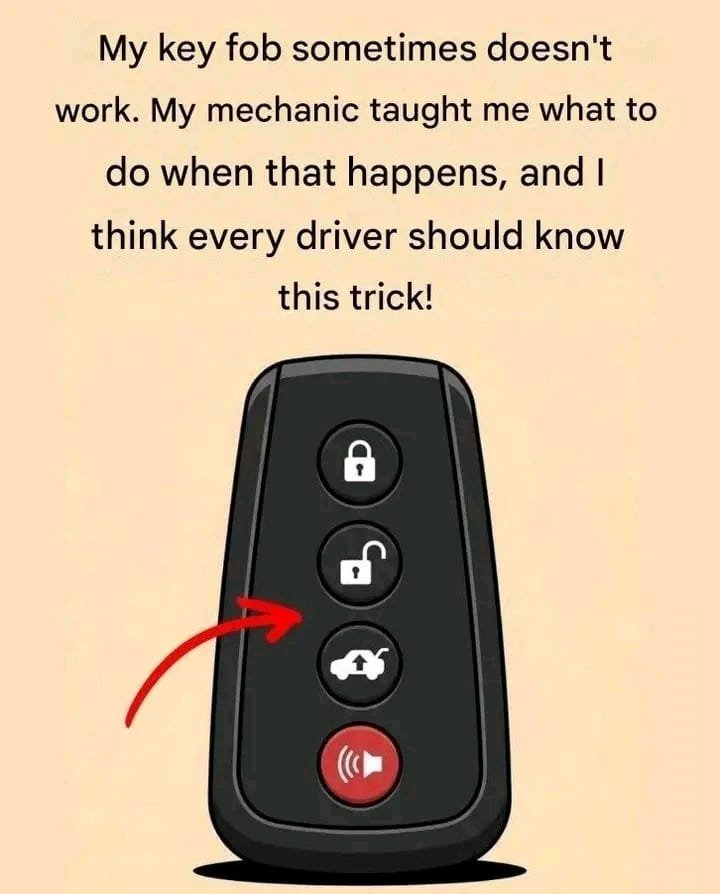
Try These 7 Hacks When Your Car Key Fob Stops Working
Have you ever pressed your car key fob several times, only to discover that nothing happens? You press the unlock button again, stand closer to the vehicle, and even try another door—but your car still refuses to respond.
Before you assume your key fob is broken or rush to buy a replacement, there are several simple things you can try.
In many cases, the problem is caused by a weak battery, radio interference, or a temporary issue with the vehicle’s locking system. Here are seven practical troubleshooting tips that may help you get back into your car.
1. Replace the Key Fob Battery
A weak battery is one of the most common reasons a key fob stops working.
Most key fobs use a small coin-cell battery, such as a CR2032 or CR2025, although the correct type varies by model.
What to do:
- Check your owner’s manual for the correct battery type.
- Open the key fob carefully, following the manufacturer’s instructions.
- Replace the battery with the correct type, paying attention to its positive and negative sides.
- Reassemble the fob and test it near your vehicle.
Avoid forcing the casing open, as some models have delicate clips or require a specific opening procedure.
2. Try Using the Fob Closer to the Car
If the fob works only when you stand very close to the vehicle, its battery may be weak, or radio interference may be affecting the signal.
Move closer to the driver’s door and try again. If the vehicle responds at short range but not from farther away, replacing the battery is a sensible first step.
If the problem continues with a fresh battery, the fob or vehicle receiver may need inspection.
3. Look for the Hidden Mechanical Key
Many modern car key fobs contain a small emergency metal key.
This key can often be released by pressing a latch or sliding a switch on the fob.
How to use it:
- Look for a small release button or sliding mechanism.
- Remove the emergency key.
- Check the driver’s door handle for a mechanical keyhole, which may be concealed beneath a small cover.
- Follow the vehicle manual to unlock the door without damaging the handle.
Some vehicles sound an alarm when opened with the mechanical key. This may stop once the car recognizes an authorized key and the ignition is switched on.
4. Use the Backup Starting Method
If your car opens but displays a message such as “Key Not Detected,” the fob battery may be too weak for normal operation.
Many vehicles have a designated backup method that allows the car to recognize the fob at close range.
Depending on the model, you may need to hold the fob against a marked area on the steering column, place it in a dedicated slot, or position it near the start button.
Check your owner’s manual for the exact location and procedure. There is no single method that works for every vehicle.
5. Check for Radio Interference
Electronic devices and nearby radio-frequency sources can sometimes interfere with a key fob’s signal.
If the fob suddenly stops working in one particular location, try moving a short distance away from other electronic equipment or dense sources of interference.
Then test the fob again.
If it works normally elsewhere, interference may have been the problem. If it fails everywhere, investigate the battery, fob, and vehicle locking system.
6. Try a Spare Key Fob
If you have a spare key, test it to help narrow down the cause.
- The spare works: The original fob may have a depleted battery, damaged buttons, or an internal fault.
- Neither fob works: The issue may involve the vehicle’s battery, receiver, central locking system, or another electrical component.
This simple comparison can help you decide whether you need a replacement fob or professional assistance.
Keep in mind that a spare fob can also have a weak battery, so it is not a perfect diagnostic test.
7. Check Whether the Car Battery Is Dead
Sometimes the key fob is working correctly, but the vehicle itself has lost electrical power.
Signs of a weak or discharged car battery may include dim dashboard lights, no response from the central locking system, or difficulty starting the engine.
If the vehicle has no electrical power, consult the owner’s manual and seek appropriate roadside assistance. Do not attempt a jump-start unless you know the correct procedure for your vehicle, especially if it is a hybrid or electric car.
If the car battery is healthy but neither key works, a technician may need to inspect the vehicle’s receiver or electronic locking system.
What If None of These Tricks Works?
If your key fob still does not respond after trying the appropriate steps, the fob may be damaged, its programming may have been lost, or the vehicle may have an electrical fault.
A qualified automotive locksmith or dealership can diagnose the problem and, if necessary, program a replacement key.
Be cautious with inexpensive replacement fobs: compatibility and programming requirements vary by vehicle make, model, and year.
Final Thoughts
A car key fob that stops working can be frustrating, but it does not always mean you need an expensive replacement.
Start by checking the battery, trying the fob at close range, looking for the emergency mechanical key, and testing a spare if available. If the vehicle still does not respond, professional diagnosis can help identify the real cause.
Helpful tip: Keep your owner’s manual accessible and learn where your emergency key is located before you need it. A little preparation can save time when your key fob unexpectedly fails.
WordPress SEO Details
SEO Title: Car Key Fob Not Working? Try These 7 Simple Fixes
Focus Keyphrase: car key fob not working
Meta Description: Is your car key fob not working? Discover seven troubleshooting tips, including battery replacement, emergency key access, radio interference, and backup starting methods.
URL Slug: car-key-fob-not-working
Category: Automotive Tips
Tags: Car Key Fob, Car Maintenance, Keyless Entry, Car Battery, Automotive Troubleshooting
Add a Quick Safety DisclaimerClarify Fob Reprogramming Limits